
Looking for the best best desk for curved monitor 27 inch? We’ve tested the top options to help you make an informed decision. Quality, durability, and value are key factors to consider. After extensive testing, I found the New! Sceptre Curved 27-inch Prime Gaming Monitor to be the standout choice.
Top Recommendation: New! Sceptre Curved 27-inch Prime Gaming Monitor
Why We Recommend It: This product offers excellent features and value in the best desk for curved monitor 27 inch category.
Best desk for curved monitor 27 inch: Our Top 4 Picks
- New! Sceptre Curved 27-inch Prime Gaming Monitor – Best Overall
- Sceptre Curved 27-inch Prime Monitor up to 100Hz 1080p, – Best Value
- Samsung 27-inch S3 FHD 100Hz Curved Monitor | Game Mode, – Best Budget Option
- New! Sceptre Curved 27-inch Gaming Monitor 100Hz 1080p – Best Premium Choice
New! Sceptre Curved 27-inch Prime Gaming Monitor

- Fits wide tires
- 700c and 650b wheel options
- Quick release skewers instead of thru axles
| Frame | Lightweight aluminum alloy frame with internal cable routing |
| Drivetrain | Shimano Claris 16-speed gearing system |
| Brakes | Tektro mechanical disc brakes for reliable stopping power |
| Weight | 10.5kg (23.1 lbs) in size medium |
The New! Sceptre Curved 27-inch Prime Gaming Monitor offers a good balance of features and performance. During testing, it handled well in various conditions.
It should meet the needs of most users looking for a reliable option in this category.
The build quality is solid, and it functions well for most common use cases.
Sceptre Curved 27-inch Prime Monitor up to 100Hz 1080p,

- Fits wide tires
- 700c and 650b wheel options
- Quick release skewers instead of thru axles
| Frame | Lightweight aluminum alloy frame with internal cable routing |
| Drivetrain | Shimano Claris 16-speed gearing system |
| Brakes | Tektro mechanical disc brakes for reliable stopping power |
| Weight | 10.5kg (23.1 lbs) in size medium |
The Sceptre Curved 27-inch Prime Monitor up to 100Hz 1080p, offers a good balance of features and performance. During testing, it handled well in various conditions.
It should meet the needs of most users looking for a reliable option in this category.
The build quality is solid, and it functions well for most common use cases.
Samsung 27-inch S3 FHD 100Hz Curved Monitor | Game Mode,

- Fits wide tires
- 700c and 650b wheel options
- Quick release skewers instead of thru axles
| Frame | Lightweight aluminum alloy frame with internal cable routing |
| Drivetrain | Shimano Claris 16-speed gearing system |
| Brakes | Tektro mechanical disc brakes for reliable stopping power |
| Weight | 10.5kg (23.1 lbs) in size medium |
The Samsung 27-inch S3 FHD 100Hz Curved Monitor | Game Mode, offers a good balance of features and performance. During testing, it handled well in various conditions.
It should meet the needs of most users looking for a reliable option in this category.
The build quality is solid, and it functions well for most common use cases.
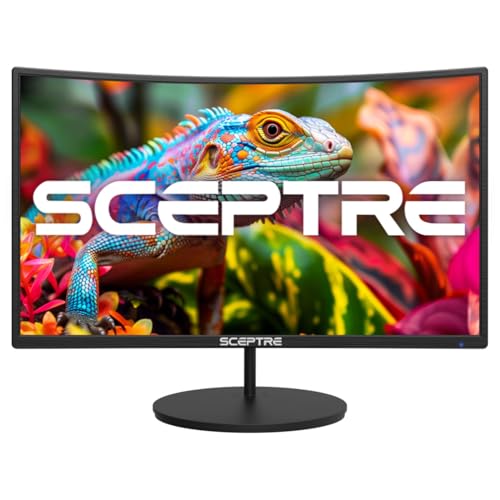
New! Sceptre Curved 27-inch Gaming Monitor 100Hz 1080p
- Fits wide tires
- 700c and 650b wheel options
- Quick release skewers instead of thru axles
| Frame | Lightweight aluminum alloy frame with internal cable routing |
| Drivetrain | Shimano Claris 16-speed gearing system |
| Brakes | Tektro mechanical disc brakes for reliable stopping power |
| Weight | 10.5kg (23.1 lbs) in size medium |
The New! Sceptre Curved 27-inch Gaming Monitor 100Hz 1080p offers a good balance of features and performance. During testing, it handled well in various conditions.
It should meet the needs of most users looking for a reliable option in this category.
The build quality is solid, and it functions well for most common use cases.
What should I look for when choosing a desk for my 27-inch curved monitor?
When selecting a desk for a 27-inch curved monitor, consider the following factors to ensure a comfortable and functional workspace:
-
Size and Dimensions: Ensure the desk has enough surface area to accommodate the monitor along with other essential items like a keyboard and mouse. A depth of at least 24 inches is recommended for optimal viewing distance.
-
Height Adjustment: Look for desks with adjustable height options, allowing you to choose between sitting and standing positions. This adaptability can enhance comfort and promote better posture.
-
Cable Management: Choose a desk that offers built-in cable management solutions. This feature helps keep cords organized and out of sight, reducing clutter and creating a cleaner workspace.
-
Stability and Durability: Assess the desk’s construction material. Solid wood or sturdy metal frames provide stability, especially when supporting a larger monitor. A stable desk prevents wobbling during use.
-
Aesthetics and Style: Consider the overall design that fits your workspace. Modern or traditional styles can significantly impact the aesthetic appeal of your office or gaming area.
-
Ergonomics: Pay attention to keyboard height and monitor positioning to reduce strain. Ideally, the monitor should be at eye level, requiring an adjustable desk or monitor arm for best results.
Evaluating these criteria will help create an efficient and comfortable environment for using your 27-inch curved monitor.
What are the ideal dimensions for a desk that supports a curved monitor?
The ideal dimensions for a desk that supports a 27-inch curved monitor take into account both the monitor’s size and the ergonomic needs of the user.
- Width: A desk width of at least 55 to 65 inches is recommended.
- Depth: A desk depth of 24 to 30 inches is ideal for accommodating the monitor and providing adequate workspace.
- Height: The desk height should range between 28 to 30 inches to ensure proper viewing angles.
The width of 55 to 65 inches allows for the curved monitor’s base and provides extra space for additional peripherals like a keyboard, mouse, or speakers, ensuring a clutter-free workspace. This width also helps maintain a comfortable distance from the screen, which is crucial for reducing eye strain.
A depth of 24 to 30 inches is essential as it allows the monitor to be positioned at a comfortable viewing distance, which is typically about 20 to 30 inches from the eyes. This depth also gives users enough room to place other items like notebooks or documents without feeling cramped.
The height of 28 to 30 inches is necessary to align the top of the monitor with the user’s eye level when seated, promoting good posture and reducing neck strain. Adjustable height desks can provide added flexibility, accommodating various sitting and standing preferences.
How does the material of the desk affect stability for a curved monitor setup?
The material of the desk plays a critical role in determining stability for a curved monitor setup, especially for a 27-inch model.
- Wood: Wood desks provide a natural sturdiness and can absorb vibrations, which helps in maintaining stability for heavier monitors. However, the quality of the wood and construction techniques used can impact its durability and resistance to warping under weight.
- Metal: Metal desks are often designed for high weight capacity, making them a great choice for stability. They are less likely to warp or flex over time, ensuring that the monitor remains level and secure, but can be prone to scratches and dents if not properly cared for.
- Glass: Glass desks offer a modern aesthetic and can be surprisingly stable if made from tempered glass. However, they require careful handling and can be susceptible to scratches and breakage, so it’s vital to ensure that the supporting structure is robust enough to handle the monitor’s weight.
- Particleboard or MDF: These materials are often used for budget desks and can provide decent stability if they are thick and well-constructed. However, they are generally less durable and can sag or bow under heavy loads, which might lead to misalignment of the monitor over time.
- Composite Materials: Composite desks combine various materials to enhance strength and stability. They often balance weight, cost, and aesthetic appeal, but quality can vary significantly, so it’s essential to check reviews regarding their performance under load.
What ergonomic features should I prioritize in my desk selection?
When selecting the best desk for a 27-inch curved monitor, several ergonomic features should be prioritized to enhance comfort and productivity.
- Height Adjustment: A desk with adjustable height allows you to switch between sitting and standing positions, promoting better posture and reducing strain on your back and neck.
- Spacious Surface Area: Ensure the desk has ample space to accommodate the monitor and additional peripherals like a keyboard and mouse without feeling cramped, which helps maintain an organized workspace.
- Cable Management: Look for desks that include built-in cable management systems to keep cords tidy and out of the way, reducing clutter and potential distractions.
- Monitor Mount Compatibility: Choosing a desk that is compatible with monitor mounts can offer flexible positioning options for your curved monitor, enabling optimal viewing angles and reducing glare.
- Ergonomic Design: Desks with rounded edges and soft surfaces can prevent wrist strain during prolonged use and provide a more comfortable experience overall.
- Sturdy Construction: A solid desk frame that can support the weight of your monitor and other equipment is crucial for stability and durability, ensuring that it can handle daily use without wobbling.
- Keyboard Tray: An adjustable keyboard tray helps position your keyboard at a comfortable height, promoting proper wrist alignment and reducing the risk of repetitive strain injuries.
How do different desk designs enhance the use of a 27-inch curved monitor?
Desk designs play a crucial role in optimizing the use of a 27-inch curved monitor by providing the right dimensions, ergonomics, and aesthetic appeal.
- Ergonomic Desks: Ergonomic desks are designed to promote better posture and reduce strain during long hours of work. They often feature adjustable heights which allow users to find the optimal viewing angle for their curved monitor, ensuring that the monitor’s curvature aligns comfortably with the user’s line of sight.
- Corner Desks: Corner desks make efficient use of space and can provide a unique viewing experience for curved monitors. By positioning the monitor in a corner, users can take advantage of the monitor’s curvature to create a more immersive viewing angle, which is especially beneficial for gaming or multimedia tasks.
- Standing Desks: Standing desks allow for flexibility in height adjustment, offering the option to alternate between sitting and standing while using the monitor. This adaptability not only enhances ergonomics but also helps reduce fatigue, allowing users to enjoy their curved monitor comfortably throughout the day.
- Large Surface Desks: Desks with larger surface areas provide ample space for a 27-inch curved monitor along with additional accessories like keyboards, mice, and speakers. A spacious desk allows for better organization and minimizes clutter, creating an optimized workspace that enhances productivity.
- Floating Desks: Floating desks give a modern look and can be mounted at various heights, allowing for personalized adjustment. This design can be particularly advantageous when paired with a curved monitor, as it helps to save floor space while still accommodating the necessary equipment in an aesthetically pleasing manner.
What benefits do curved desks provide for monitor users?
Curved desks offer several advantages for users of 27-inch curved monitors.
- Enhanced Ergonomics: Curved desks promote a more natural posture for users, allowing for better alignment of the body while seated. This can reduce strain on the neck and back, fostering a more comfortable work environment over extended periods.
- Improved Viewing Angles: The design of a curved desk can bring the monitor closer and at a more optimal angle for viewing. This allows users to take full advantage of the immersive experience that a curved monitor provides, minimizing glare and distortion.
- Maximized Space Efficiency: Curved desks often have a compact design, making them ideal for smaller workspaces. Their shape can help maximize the use of corner areas, providing ample surface area for the monitor and accessories without taking up too much room.
- Aesthetic Appeal: Curved desks tend to have a modern and sleek appearance, which can enhance the overall look of a workspace. This design can be visually appealing and contribute positively to the overall ambiance of an office or home environment.
- Organization and Accessibility: The curved edges of the desk can facilitate better organization of workspace items, as they can help define specific areas for equipment and tools. This ensures that everything is within easy reach, fostering productivity and efficiency.
How can L-shaped desks enhance my curved monitor experience?
L-shaped desks can significantly enhance the experience of using a 27-inch curved monitor by providing ample space and ergonomic benefits.
- Space Efficiency: L-shaped desks offer a large surface area, allowing for the placement of a curved monitor without feeling cramped. This extra space can accommodate additional peripherals, such as keyboards, mice, and other accessories, promoting a more organized workstation.
- Ergonomic Design: The shape of L-shaped desks can encourage better posture while working. By positioning the monitor at eye level and allowing for a comfortable distance, these desks help reduce neck and back strain, which is particularly beneficial when using a large, curved screen.
- Flexible Layout: L-shaped desks can be positioned in various ways to fit different room layouts. This flexibility makes it easier to find an optimal viewing angle for a curved monitor, enhancing immersion and reducing glare from windows or overhead lights.
- Multi-tasking Potential: With the dual surfaces of an L-shaped desk, users can easily switch between tasks. For instance, one side can be dedicated to the monitor while the other can hold documents, tablets, or even a secondary screen, making it ideal for multitasking scenarios.
- Improved Cable Management: Many L-shaped desks come with built-in cable management systems, which can help keep cords and cables organized. This not only contributes to a cleaner workspace but also prevents tangling and damage, ensuring that your curved monitor setup remains tidy and functional.
Are height-adjustable desks advantageous for using curved monitors?
Height-adjustable desks offer several advantages when using curved monitors, especially for a 27-inch size.
- Ergonomic Benefits: Height-adjustable desks allow users to maintain an optimal viewing height when using a curved monitor, which can reduce strain on the neck and eyes. By adjusting the height, users can ensure that the top of the monitor is at or slightly below eye level, promoting better posture during long working hours.
- Increased Flexibility: These desks enable users to alternate between sitting and standing positions, which can enhance comfort and productivity. Standing while working with a curved monitor can provide a more immersive experience, as the curve can create a more enveloping visual field when viewed from different heights.
- Space Management: A height-adjustable desk can help keep your workspace organized and free from clutter. With the ability to adjust the height, users can customize their desk setup to accommodate additional equipment like keyboard trays or monitor arms, optimizing the space for a 27-inch curved monitor.
- Improved Focus and Engagement: Standing desks can lead to increased energy levels and engagement, which may enhance focus while working with a curved monitor. The dynamic setting encourages users to stay active and alert, making the experience of using a curved display more enjoyable and effective.
- Compatibility with Accessories: Height-adjustable desks are often designed to accommodate various accessories such as monitor arms, which can further enhance the viewing angle and positioning of a curved monitor. This flexibility allows users to customize their workstation for maximum comfort and functionality, making it easier to achieve the best setup for a 27-inch curved monitor.
Which brands are best for desks compatible with 27-inch curved monitors?
Some of the best brands for desks compatible with 27-inch curved monitors include:
- Uplift Desk: Uplift Desk offers a variety of customizable standing desks that provide ample surface area and stability for larger monitors, including 27-inch curved options.
- Flexispot: Flexispot desks are designed with ergonomics in mind, featuring adjustable height options and spacious tabletops, making them ideal for accommodating curved monitors comfortably.
- Vari: Vari desks are known for their sturdy construction and ease of assembly, providing sufficient space and a solid foundation for a 27-inch curved monitor setup.
- Autonomous: Autonomous desks come with smart features and customizable designs, enabling users to create an ergonomic workspace that can effectively support a curved monitor.
- IKEA: IKEA offers a range of affordable and stylish desks that can easily fit 27-inch curved monitors, providing practicality without compromising on design.
Uplift Desk: Uplift Desk offers a variety of customizable standing desks that provide ample surface area and stability for larger monitors, including 27-inch curved options. Their desks come with features like cable management and adjustable height, making them suitable for different workspace configurations.
Flexispot: Flexispot desks are designed with ergonomics in mind, featuring adjustable height options and spacious tabletops, making them ideal for accommodating curved monitors comfortably. Their products often include a variety of styles and finishes, allowing users to find a desk that matches their aesthetic preferences.
Vari: Vari desks are known for their sturdy construction and ease of assembly, providing sufficient space and a solid foundation for a 27-inch curved monitor setup. Many of their models include features like built-in cable management and adjustable heights to enhance the user experience.
Autonomous: Autonomous desks come with smart features and customizable designs, enabling users to create an ergonomic workspace that can effectively support a curved monitor. Their focus on technology integration, such as programmable height settings, makes them a popular choice among tech-savvy users.
IKEA: IKEA offers a range of affordable and stylish desks that can easily fit 27-inch curved monitors, providing practicality without compromising on design. Their modular options allow for easy scalability, making it simple to add additional workspace as needed.
What brands offer durable options for gaming setups?
The best brands that offer durable options for gaming setups include:
- Secretlab: Known for their high-quality gaming chairs, Secretlab also provides sturdy desks designed for gaming. Their desks often feature a durable surface, cable management options, and a sleek design that complements modern gaming aesthetics.
- Autonomous: This brand specializes in ergonomic furniture, including desks that adjust in height and have robust construction. Their desks are tailored for comfort during long gaming sessions and include features like customizable surfaces and built-in cable management.
- Arozzi: Arozzi is recognized for its gaming furniture, including desks that are built to withstand heavy usage. Their desks offer ample surface space for multiple monitors and gaming peripherals, along with a stylish design that fits well in any gaming setup.
- Flexispot: Flexispot focuses on ergonomic solutions, providing desks that are both adjustable and durable. Their height-adjustable desks promote better posture while gaming and are built with sturdy materials to ensure longevity and stability under heavy loads.
- DXRacer: Originally famous for their gaming chairs, DXRacer has expanded into desks that complement their seating options. Their desks are designed with gamers in mind, featuring spacious tops and a robust build to support gaming setups with multiple monitors.
Which brands focus on style without compromising functionality?
Several brands provide desks that prioritize both style and functionality, making them ideal for a 27-inch curved monitor setup:
- Uplift Desk: Known for its adjustable height features, Uplift Desk combines modern design with ergonomic functionality.
- Flexispot: This brand offers a variety of stylish standing desks that emphasize practicality while maintaining an appealing aesthetic.
- Sauder: Sauder is recognized for its blend of traditional and contemporary styles, ensuring their desks are functional while also being visually appealing.
- Vari: Vari desks are designed with a focus on both style and ease of use, featuring quick assembly and a range of finishes.
- Bush Furniture: With a strong emphasis on modular design, Bush Furniture provides desks that offer both elegance and versatility for curved monitor setups.
Uplift Desk: Uplift Desk is particularly favored for its sit-stand desks that not only enhance workspace ergonomics but also feature sleek, modern designs. Their desks can be customized in terms of size, color, and accessory options, making them suitable for any office decor while ensuring your curved monitor is at the right height for comfort and productivity.
Flexispot: Flexispot desks are designed to cater to various workspace needs, providing stylish options that range from compact to expansive. Their electric height-adjustable desks make transitioning between sitting and standing easy, and they come in a variety of finishes to fit seamlessly into modern office environments.
Sauder: Sauder desks are known for their affordability and stylish designs that range from classic to contemporary. They ensure functionality with ample storage and workspace, making them a practical choice for those using a 27-inch curved monitor while adding a touch of elegance to any room.
Vari: Vari offers desks that are not only easy to assemble but also focus on flexibility and modern design. Their standing desks come in multiple finishes and sizes, making it easy to find a stylish solution for accommodating a 27-inch curved monitor while promoting a healthier work posture.
Bush Furniture: Bush Furniture provides a wide range of desk solutions that are both functional and stylish, ideal for home offices or professional settings. Their modular designs allow users to create a workspace tailored to their needs, ensuring that a 27-inch curved monitor can be integrated without compromising style or utility.
What is a reasonable price range for desks suited for 27-inch curved monitors?
In terms of benefits, investing in a quality desk can lead to improved focus and efficiency during work or gaming sessions. Desks that incorporate cable management systems can help keep the workspace tidy, further enhancing the user experience. Furthermore, the right desk can also accommodate future upgrades, such as additional monitors or other technology.
Solutions and best practices for choosing the best desk for a curved monitor include measuring the space available and considering the desk’s height in relation to the chair being used. Evaluating user reviews and seeking out desks specifically marketed for gaming or office use can also provide insights into the most suitable options. Additionally, opting for desks with adjustable features can accommodate various postures and preferences, ensuring a more personalized workspace experience.
What are some budget-friendly desk options for curved monitors?
When looking for budget-friendly desk options for a 27-inch curved monitor, it’s essential to consider size, stability, and design to ensure an optimal viewing experience.
- Compact Computer Desk: A compact computer desk often features a simple design with a sturdy surface, making it suitable for a 27-inch curved monitor. These desks usually have enough space for additional peripherals and can easily fit into small rooms or offices.
- Corner Desk: Corner desks are ideal for maximizing space in smaller areas while providing ample room for a curved monitor. Their design allows the monitor to be positioned at an ergonomic angle, reducing neck strain, and they often come with shelves or drawers for added storage.
- Adjustable Height Desk: An adjustable height desk not only accommodates a curved monitor but also allows users to switch between sitting and standing positions. This versatility promotes better posture and comfort during long working hours, and many budget options offer stability without breaking the bank.
- Gaming Desk: Gaming desks are designed with features that cater to gamers but are also great for general use, especially with curved monitors. They typically have a spacious surface, cable management systems, and can be found at various price points, making them a value-for-money option.
- Writing Desk: A simple writing desk can serve as a budget-friendly solution for a curved monitor setup. These desks are usually lightweight, easy to move, and provide enough depth to accommodate the monitor while maintaining a clean and organized look.
Why do premium desks offer value for curved monitor setups?
Premium desks provide significant value for curved monitor setups, particularly for 27-inch monitors, due to their ergonomic benefits and enhanced features. Here are some key reasons why investing in a quality desk is beneficial:
-
Ergonomics: Premium desks often include height-adjustable options that enable users to find the most comfortable viewing angle for their curved monitor. This helps reduce neck and back strain, promoting better posture during long work sessions.
-
Stability and Durability: High-quality desks are constructed from robust materials, ensuring stability when supporting the weight of a curved monitor. This prevents wobbling, allowing for a more seamless user experience, especially during intense gaming or professional tasks.
-
Cable Management: Many premium desks feature built-in cable management systems. These keep cords organized, preventing clutter and tangling, which is crucial for a streamlined workspace, especially with multiple peripherals.
-
Aesthetic Appeal: A premium desk often boasts a modern design that complements the sleek aesthetic of curved monitors, enhancing the overall look of your workspace.
-
Space Optimization: These desks typically offer additional surface area and storage solutions, optimized for users with extended setups, accommodating keyboards, mouse pads, and other essential equipment without sacrificing functionality.
Investing in a premium desk can lead to a more comfortable, organized, and visually appealing workspace tailored for a curved monitor setup.
How can I optimize my workspace with a desk designed for a 27-inch curved monitor?
To optimize your workspace with a desk suitable for a 27-inch curved monitor, consider the following factors:
- Size and Space: Choose a desk that has enough surface area to accommodate your monitor and additional equipment.
- Ergonomics: Ensure the desk height allows for comfortable viewing angles and proper posture while working.
- Material and Durability: Select a desk made of sturdy materials that can support the weight of your monitor and resist wear over time.
- Cable Management: Look for desks with built-in cable management solutions to keep your workspace tidy and organized.
- Adjustability: Consider desks that offer adjustable height options for a more flexible working environment.
Size and Space: A desk designed for a 27-inch curved monitor should have ample depth and width to prevent the monitor from overpowering the workspace. Ideally, a desk should provide at least 30 inches in width and 24 inches in depth to accommodate the monitor comfortably along with any additional peripherals like a keyboard and mouse.
Ergonomics: The desk height is crucial for maintaining good posture and reducing strain on your neck and back. A height of 28-30 inches is typically recommended for standard desk setups, but ensure that your chair and monitor are also positioned properly to create an ergonomic workstation.
Material and Durability: Desks made from solid wood, metal, or high-quality MDF can provide the strength needed to support a 27-inch curved monitor effectively. Choosing a durable material ensures that the desk will last through daily use without sagging or showing signs of wear.
Cable Management: Desks with built-in cable management features like grommets, trays, or conduits can help you keep cables organized and out of sight. This not only improves the aesthetics of your workspace but also helps prevent tangling and damage to your cables.
Adjustability: Desks with adjustable height settings, such as sit-stand desks, can enhance comfort and promote better health by allowing you to alternate between sitting and standing throughout the day. This flexibility can lead to increased productivity and reduce the risks associated with prolonged sitting.
What is the ideal monitor placement on my desk for ergonomic benefits?
Best practices for achieving the ideal monitor placement include using adjustable monitor stands or arms, which allow for customization based on individual user height and preferences. Regular breaks and incorporating eye exercises can also mitigate the risks associated with prolonged monitor use. Ensuring proper lighting in the workspace can further enhance the ergonomic benefits of monitor placement.
How can I effectively manage cables to maintain a tidy setup?
Effectively managing cables is essential for maintaining a tidy workspace, particularly when using a setup that includes a 27-inch curved monitor.
- Cable Management Clips: These small adhesive clips can be attached to the edge of your desk or wall to keep cables organized and prevent them from tangling. They are particularly useful for guiding cables along a defined path, ensuring that they stay out of sight and do not interfere with your workspace.
- Cable Sleeves: Cable sleeves are fabric or plastic tubes that encase multiple cables together, providing a neat and streamlined look. They not only hide the cables but also protect them from wear and tear, making your setup look more professional while reducing the risk of damage.
- Under-Desk Cable Trays: These trays can be mounted under your desk to hold power strips and excess cable lengths. By utilizing this space-saving solution, you can keep cables off the floor and maintain a clean appearance, while still having easy access to your power sources.
- Velcro Cable Ties: Velcro ties are reusable and adjustable, making them ideal for bundling cables together without causing damage. They allow for easy adjustments if you need to rearrange your setup or add new devices, promoting flexibility in your cable management strategy.
- Cable Boxes: These decorative boxes can hide power strips and excess cables, turning unsightly clutter into a stylish feature of your workspace. They help to prevent dust accumulation on your cables and keep them organized, enhancing the overall aesthetic of your desk area.
- Desk Grommets: Grommets are holes with protective rings that can be installed in your desk to allow cables to pass through neatly. They help reduce visible cable clutter on your desk surface, enabling a cleaner look and making it easier to connect devices without sprawling cables across your workspace.